Banking
 Healthcare
 Energy
 Manufacturing
 Education
 Company
 Corporate Social Responsibility
 Highlights
 Blogs
Blogs
 Whitepapers
Context:
Our application isn’t just another web app; rather, it’s a highly complex, mission-critical, multi-layered event-driven ecosystem. Moreover, APIs, real-time alerts, and dynamic data visualizations seamlessly interact in powerful, real-time orchestration, ensuring that every component works in perfect synchronization. Every user action unleashes a cascade of backend events that must perform flawlessly. Relying on manual testing or fragile, UI-only tools like Selenium quickly became inefficient, error-prone, and completely unsustainable in such a fast-paced, high-impact environment.
By : Chinmayee S | 2 Mar 2026
The Problem : Complex Architecture Meets Testing Bottlenecks
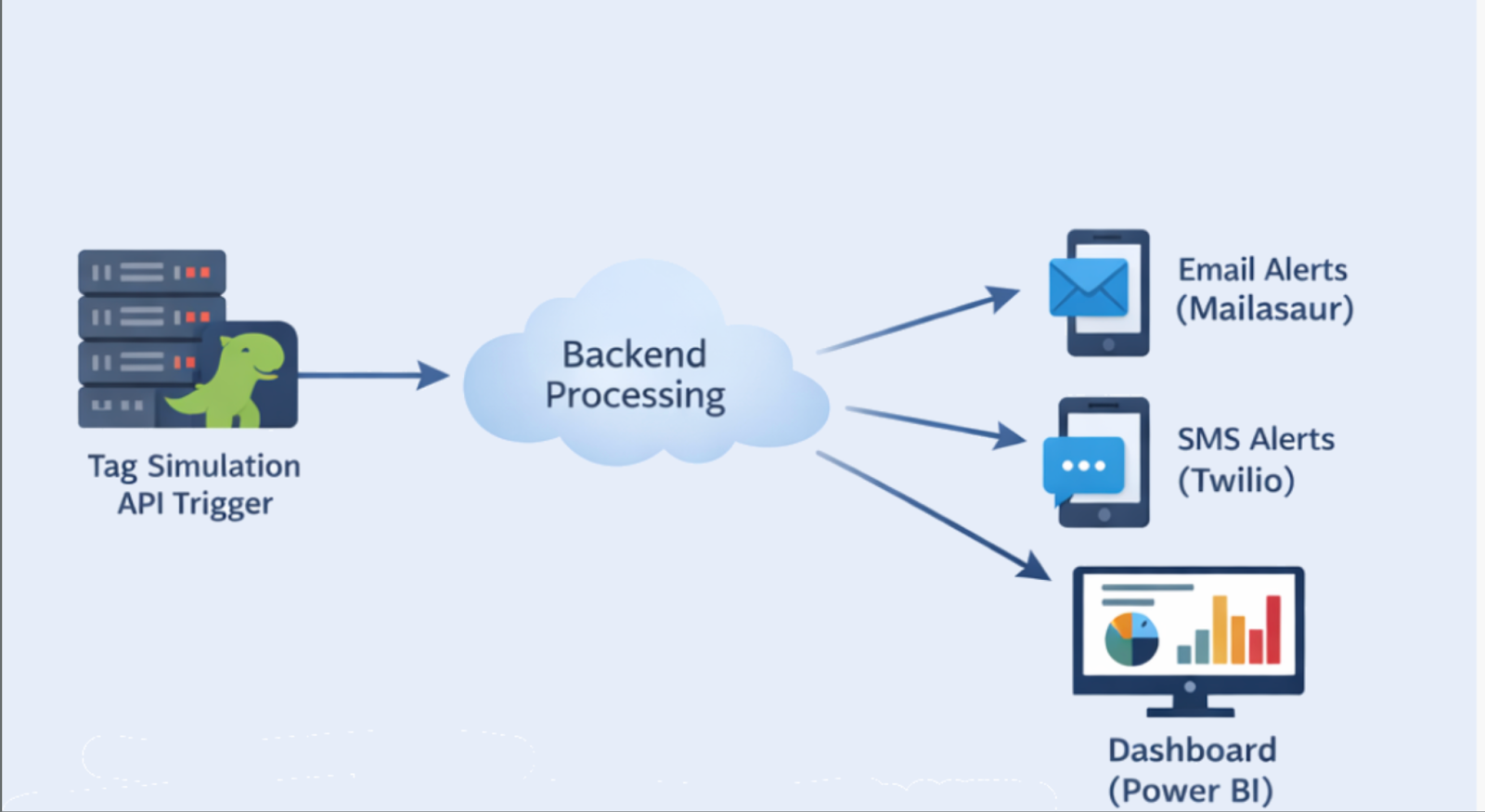
The system was built around tag simulations — backend events that trigger alerts across different platforms:
- Email notifications via Mailasaur
- SMS alerts via Twilio
- Dashboard analytics via Power BI
Testing this manually or with Selenium became a challenge because:
- Selenium interacts only with the browser UI.
- We needed to simulate backend events and validate asynchronous alert deliveries.
- Flaky tests were common, and maintaining them took hours.
So we asked ourselves: Can a testing tool understand the system, not just the UI?
Why We Chose Cypress
Cypress offered more than browser automation:
- Direct API calls using
cy.request()enabled seamless backend event and tag simulations. - Built-in automatic async handling eliminated complex manual waits and reduced flakiness.
- Smooth integration with external services like Mailosaur and Twilio improved real-time alert validation.
- Unified validation of backend data and UI behavior ensured true end-to-end test coverage.
In short, Cypress became our testing hub — combining API, Integration and UI tests in one framework.
Step 1: Simulating Tags through API
Each alert in our system starts with a backend tag simulation.
Example Cypress snippet:
cy.request('POST', '/api/simulate-tag', {
tagName: 'Temperature_Exceeded',
value: 95
}).then((response) => {
expect(response.status).to.eq(200);
});
Impact:
- Removed dependency on UI actions.
- Triggered real backend workflows.
- Made tests faster and more predictable.
Step 2: Validating Email Alerts (Mailasaur)
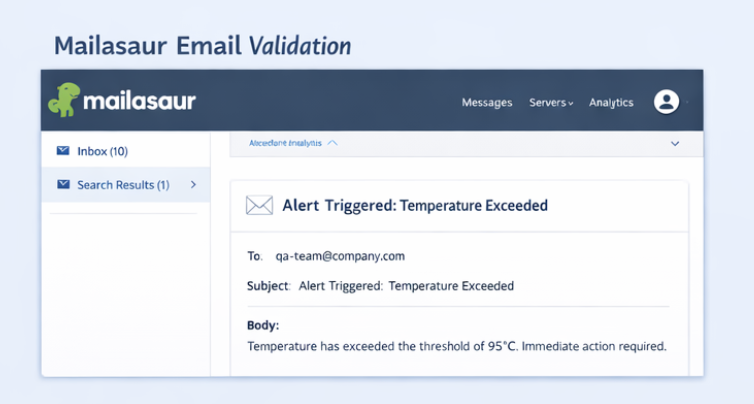
- After triggering a tag, the system sends an email alert.
- Instead of manually checking inboxes, Cypress connects directly to Mailasaur’s API.
cy.request(`https://mailasaur.com/api/messages?server=${Cypress.env('MAIL_SERVER')}`, {
headers: { Authorization: `Basic ${Cypress.env('MAIL_API_KEY')}` }
}).then((res) => {
const message = res.body.items.find(msg => msg.subject.includes('Alert Triggered'));
expect(message).to.exist;
});
Outcome:
- Confirmed email delivery and content.
- Automated verification within CI/CD.
- Saved hours of manual validation.
Step 3: Validating SMS Alerts (Twilio)
For SMS alerts, Cypress connected to Twilio’s API:
cy.request({
method: 'GET',
url: `https://api.twilio.com/2010-04-01/Accounts/${Cypress.env('TWILIO_SID')}/Messages.json`,
auth: {
username: Cypress.env('TWILIO_SID'),
password: Cypress.env('TWILIO_AUTH_TOKEN')
}
}).then((res) => {
const sms = res.body.messages.find(msg => msg.body.includes('Temperature Alert'));
expect(sms).to.exist;
});
Outcome:
- Verified SMS delivery in real time.
- Worked seamlessly in CI pipelines.
- No manual device or emulator needed.
Step 4: Power BI Dashboard Validation
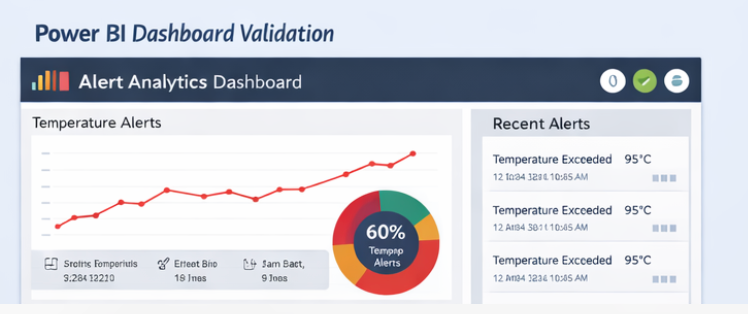
Finally, Cypress validated that the alert data was reflected on Power BI Dashboards.
cy.intercept('GET', '/powerbi/api/alerts').as('getAlerts');
cy.visit('/dashboard');
cy.wait('@getAlerts').its('response.statusCode').should('eq', 200);
cy.get('.alert-card').should('contain.text', 'Temperature_Exceeded');
Result:
- Confirmed data sync between Backend and BI dashboard.
- Verified both API and front-end rendering.
- Reduced False Positives and Flakiness.
Framework Structure
Our Cypress framework was designed for scalability:
/cypress
├── api/
│ ├── tagSimulation.spec.js
│ ├── mailasaurValidation.spec.js
│ └── twilioValidation.spec.js
├── ui/
│ └── powerbiDashboard.spec.js
├── support/
│ └── commands.js
└── cypress.config.js
Key Design Points:
Measurable Impact
| Metric | Before (Manual) | After (Cypress) |
| End-to-end Alert validation | 4-5 Hours | 20 minutes |
| Flaky test failures | ~55% | <8% |
| API & Integration Coverage | Limited | Full-stack |
| CI/CD Compatibility | Manual | Fully automated |
Summary:
Cypress helped us test the architecture, not just the interface.
It handled async workflows, API validations, and multi-channel notifications far more effectively than Manual Testing.
Why Cypress
Selenium vs Cypress – Real time Comparison
| Aspect | Selenium | Cypress |
| API Testing | Needs extra libraries | Built-in with cy.request() |
| Email/SMS Testing | Complex integrations | Direct API validation |
| Async Handling | Manual waits | Auto-retry mechanism |
| CI/CD Integration | Manual setup | Native support |
| Data Dashboard Testing | Flaky DOM issues | Handles intercepts + async |
| Ecosystem | Multi-language | JavaScript/Node native |
Observability and DevOps Integration
Each Cypress run produced:
- Mochawesome HTML reports
- Slack notifications for the QA channel
- API response logs for Mailasaur, Twilio, and Power BI
- Test metrics visualized in Grafana
This provided visibility into:
- Test run duration
- Failure trends
- Alert delivery performance
Key Takeaways
- Design your tests to mirror your architecture — not just your UI.
- Validate communication channels (Email, SMS, Dashboard) automatically.
- Measure test performance — it’s a system health signal
- Reduce manual verification to near zero.
Closing Thoughts
By leveraging Cypress’s full capabilities, we built an end-to-end testing strategy that connects APIs, external tools, and UI dashboards in one flow.
This reduced test execution time, eliminated flaky results, and improved our confidence in production alert behavior.
Cypress didn’t just test our system — it helped us validate our architecture’s integrity.